Watch how a document was written.
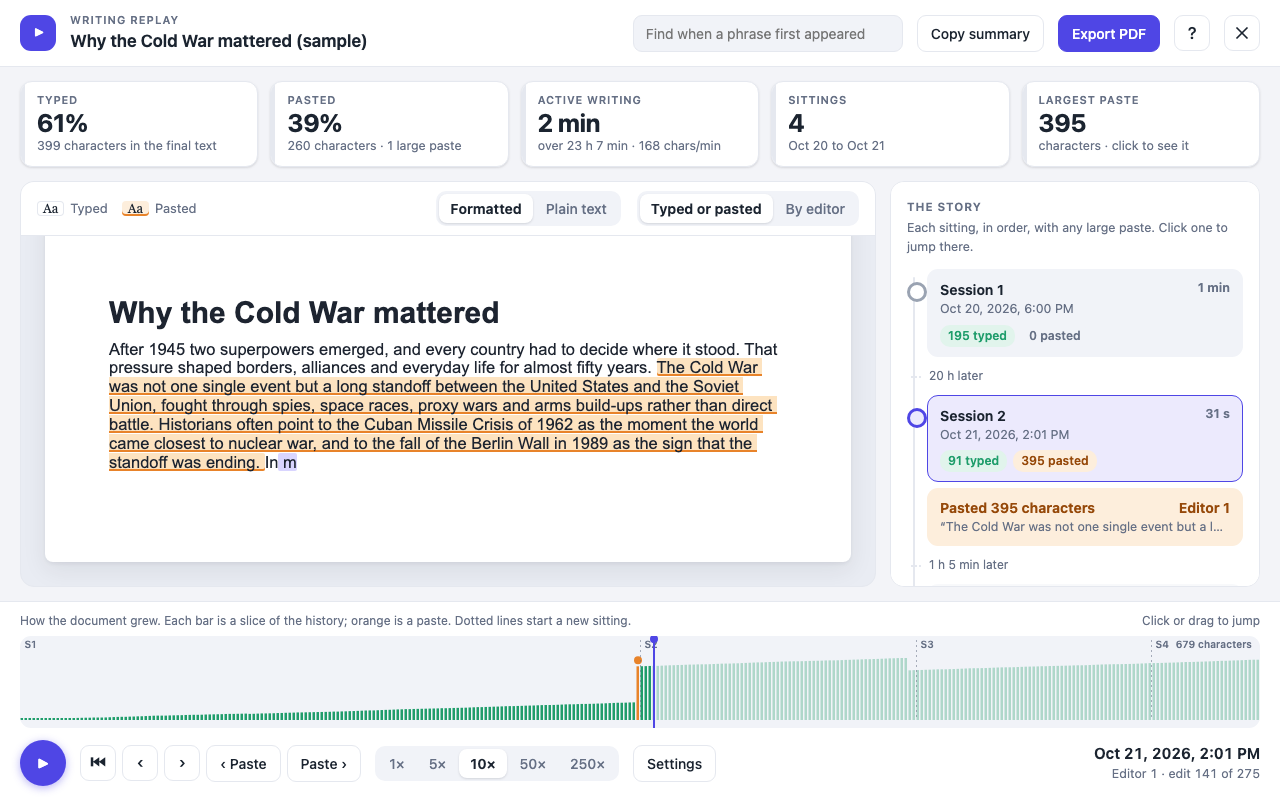
Doc Replay plays back a student's Google Doc from a blank page to the finished piece, so you can see what was typed, what was pasted, and when.
Three steps, no setup.
Open a document you can edit
Google only shares edit history with editors, so the student shares the doc with you as an editor.
Click "Replay writing"
Doc Replay downloads the history Google Docs already keeps. It takes a few seconds, longer for very long documents.
Press play
Watch the writing appear from a blank page, jump around the timeline, and read the summary cards.
The whole story of a document.
A few of the screens, using a made-up sample essay.
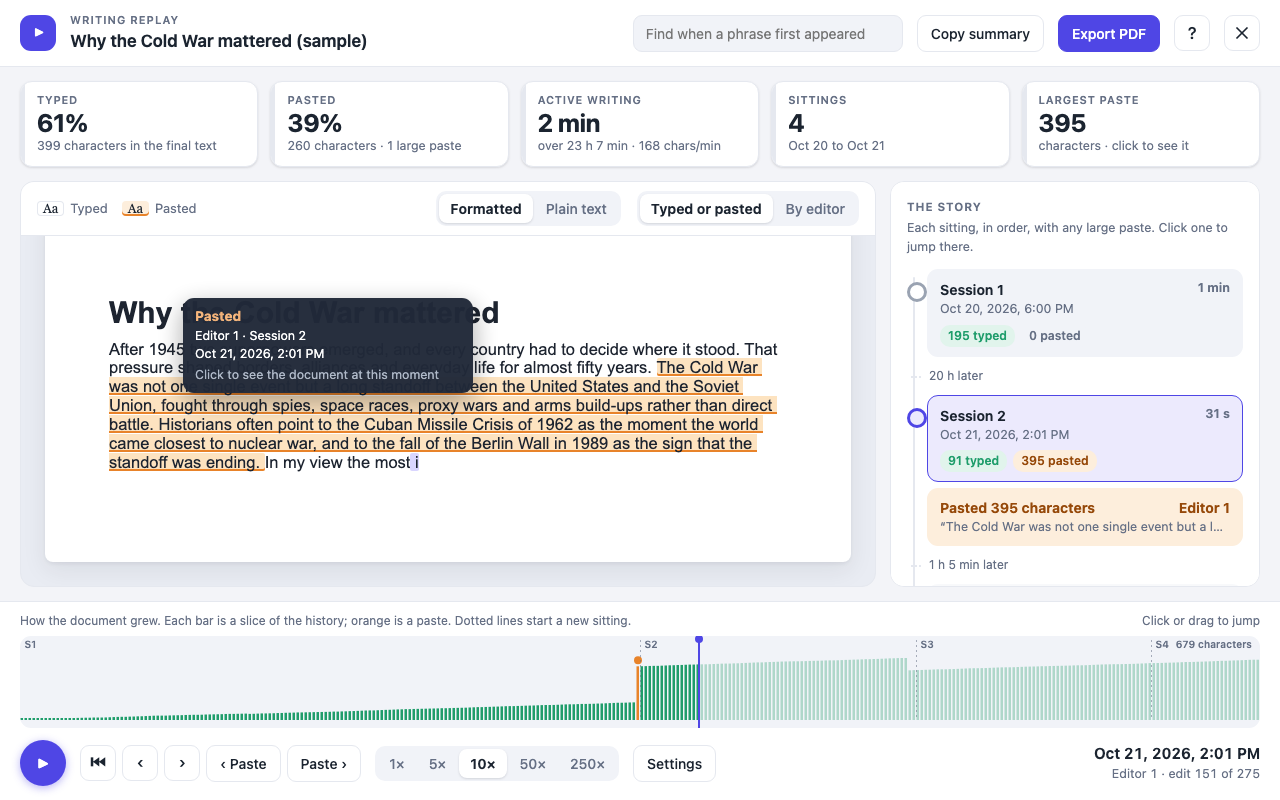
Hover for who and when
Point at any passage to see who wrote it, when, and whether it was typed or pasted. Click it to jump to that moment.
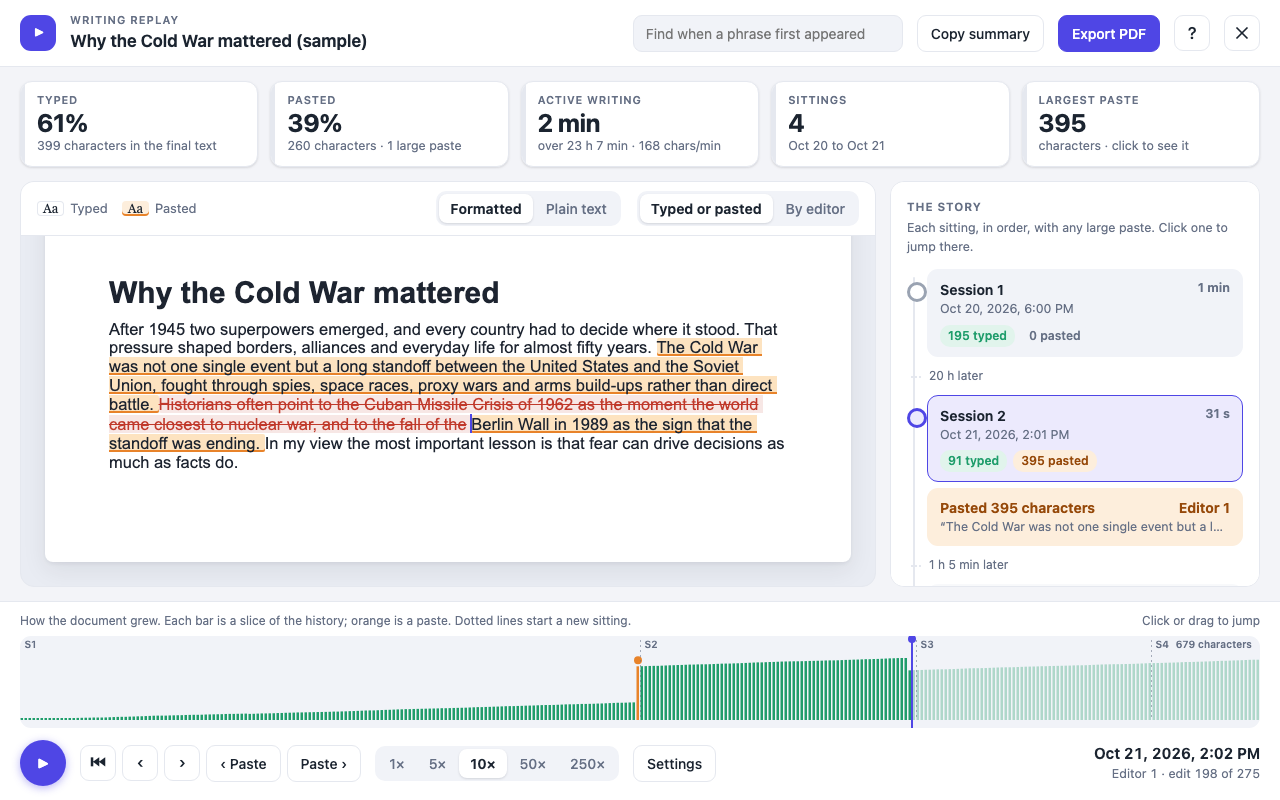
Deleted text, crossed out
When an edit removed words, they show crossed out where they used to be, so you can see what changed.
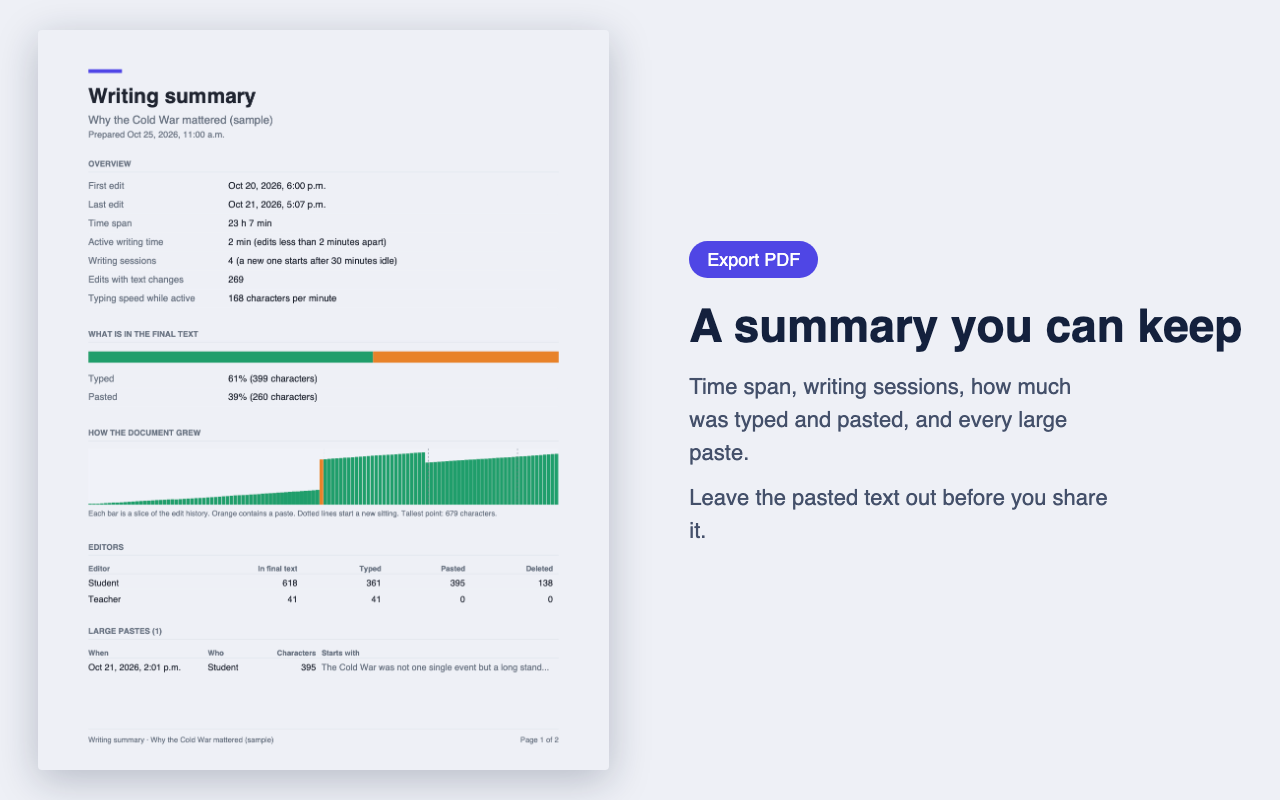
A PDF summary to keep
Time span, writing sessions, how much was typed and pasted, and each large paste, in one or two pages.
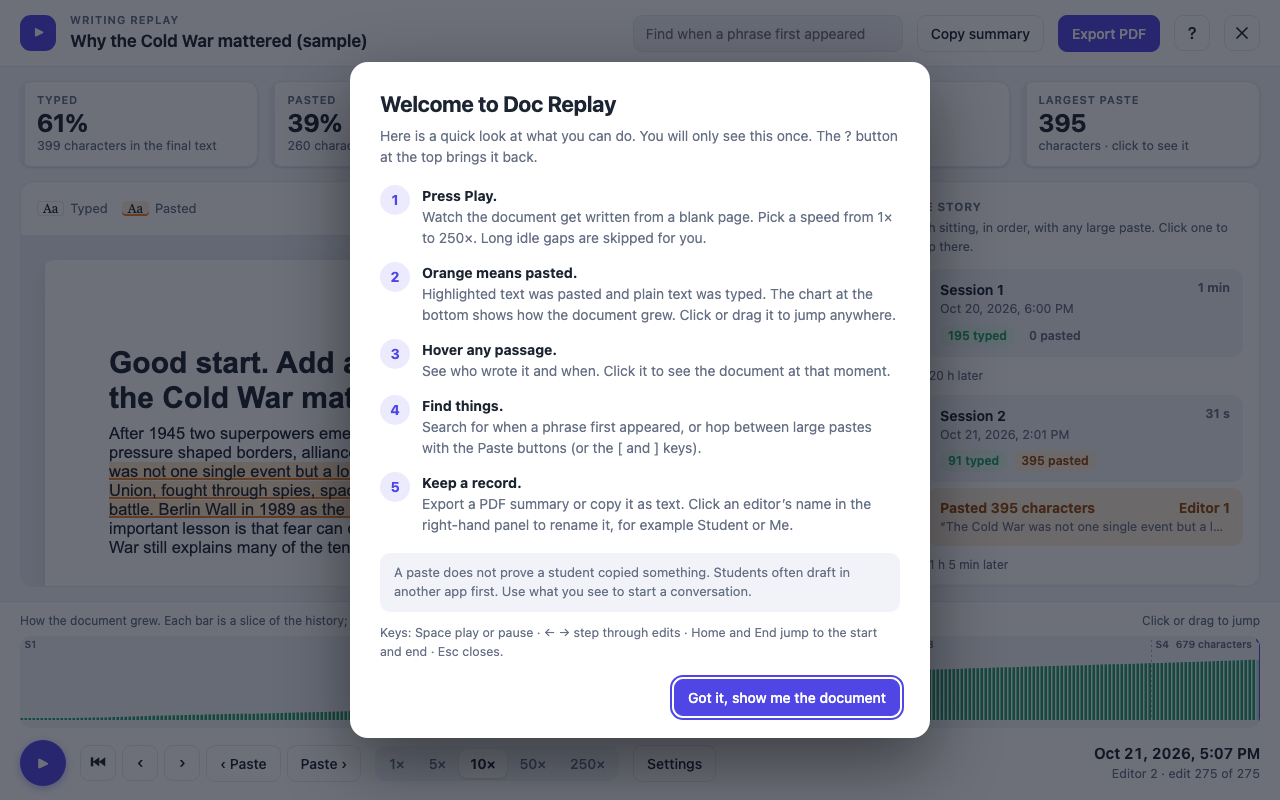
A quick guide the first time
A short tour explains the cards, the chart and the keyboard shortcuts. The ? button brings it back.
Small tools for a big question.
Typed or pasted
Typed text and pasted text show in different colours, with a chart of how the document grew.
Play at any speed
From 1 times up to 250 times speed. Long idle gaps are skipped, and you can turn that off.
Click to jump
Click any passage, or drag along the chart, to go straight to that moment in the writing.
Find a phrase
Search for the moment a phrase first appeared, and see who wrote it and how.
Save a summary
Export a PDF or copy a plain-text summary to paste into your notes.
Name the editors
Call an editor Student or Me, and Doc Replay remembers it for next time.
A paste doesn't prove anything.
Students often draft in another app first, then paste it in. Doc Replay is meant to start a conversation, not to settle one. Look at the whole story before you draw a conclusion.
Your documents stay yours.
Stays in your browser
Doc Replay reads the edit history Google Docs already shows you, using your own sign-in, and works it out on your computer. Nothing is uploaded or sent to anyone.
Only Google Docs
It runs on Google Docs pages and nowhere else, and asks for no extra browser permissions.
No account, no server
There's nothing to sign up for, and no server on my side that could see your documents.
Good to know
Does it work on any Google Doc?
Only on documents you can edit, because Google only shares edit history with editors. Ask the student to share the doc with you as an editor.
What counts as a paste?
By default, an insert of 20 or more characters. You can change that in Settings and everything recalculates.
Does it cost anything?
No, it's free. If it saves you time, there's an optional tip link inside the extension.
Is it from Google?
No. Doc Replay is made by me and isn't affiliated with or endorsed by Google. Google Docs is a trademark of Google LLC.
Can I share the summary?
Treat it like the student's work and keep it private. If you need to share it, tick the setting that leaves pasted text out of the PDF and copied summary first. The numbers stay and the snippets go.
More tools are on the way.
Next up is Itinerary, a calm planner for university students.
See Itinerary